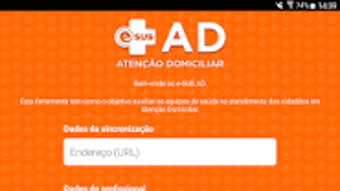

Download e SUS AD – Mobile Tool for Home Care Services, Health Data Recording, e-SUS AD, Better at Home Program, e-SUS AD 2.0
Overview
e-SUS AD is a mobile software application developed by Serviços e Informações do Brasil for use within the Home Care Services (Better at Home) program of the Brazilian Unified Health System (SUS). The application is designed to support health professionals in recording clinical and production data directly in the field, ensuring timely and accurate documentation of patient care. By enabling on-site data entry, e-SUS AD reduces reliance on paper-based processes, minimizing the risk of data loss and improving workflow efficiency for Multiprofessional Home Care Teams (EMAD) and Multiprofessional Support Teams (EMAP).
The primary purpose of e-SUS AD is to integrate clinical information into the Electronic Citizen Medical Record (PEC), a centralized digital health record system. This integration allows for continuity of care and facilitates data sharing across health service providers. The application supports the registration of patient follow-up records, including clinical observations, interventions, and service delivery metrics. It is specifically tailored for use in Brazil’s public health infrastructure, serving professionals engaged in home-based medical care.
With version 2.0, the tool offers enhanced functionality, including the ability to edit existing follow-up records, improving data accuracy and adaptability during home visits. The software is available at no cost on the Google Play Store, making it accessible to eligible health professionals. It is intended exclusively for authorized users within the Better at Home initiative and is not designed for general public or commercial use.
Key Features & Capabilities
- On-Site Clinical Data Recording – Enables health professionals to document patient assessments, diagnoses, treatments, and care plans directly during home visits, reducing delays in data entry.
- Production Data Capture – Allows teams to register service delivery metrics, such as number of home visits, types of interventions, and team activities, supporting monitoring and reporting.
- Integration with PEC System – Facilitates synchronization with the Electronic Citizen Medical Record (PEC), ensuring that collected data is consolidated into a unified health record for continuity of care.
- Follow-Up Record Editing – Version 2.0 introduces the ability to modify existing patient follow-up records, improving data accuracy and adaptability during ongoing care.
- Mobile Accessibility – Designed for Android devices, the application supports field use with offline capabilities, allowing data collection even in areas with limited connectivity.
These features streamline the documentation process for home care teams, enabling real-time data capture and reducing administrative burden. The tool supports multiprofessional collaboration by allowing team members to input and update information in a shared digital environment. Its integration with the PEC system ensures that patient records remain consistent across different health service points, enhancing care coordination. The application is optimized for use by authorized health professionals within the SUS framework, emphasizing data integrity and regulatory compliance.
User Interface, Workflow & Performance
The user interface of e-SUS AD is designed for functionality and clarity, prioritizing ease of use in high-pressure clinical environments. Navigation is structured around core tasks such as patient registration, data entry, and record editing, with intuitive menus and logical workflows. The layout supports quick access to frequently used functions, minimizing the time required to complete documentation during home visits.
Workflow efficiency is enhanced by the application’s focus on task-specific screens and streamlined forms. Users can quickly select patients, input clinical observations, and log service delivery data with minimal steps. The interface supports touch-based interaction, making it suitable for use on standard Android smartphones and tablets. While specific performance metrics were not provided, the application is designed to operate efficiently on mid-range Android devices commonly used in public health settings.
The developer did not specify resource usage details. Performance observations are based on general software behavior patterns. Stability is expected to be maintained through integration with the PEC system, which handles data synchronization and validation. The application supports offline data entry, with data being stored locally until synchronization is possible, ensuring data continuity even in low-connectivity areas.
Compatibility & System Requirements
e-SUS AD is available for Android operating systems. The application is designed to run on devices that meet the standard requirements for Android-based health applications. Installation size is not specified in the provided information. The developer did not provide additional system requirements.
Compatibility information was partially provided. The application is available on the Google Play Store, indicating it meets Google’s technical and security standards for Android apps. It is intended for use with the PEC software, which must be installed on the user’s device or system to enable data aggregation and synchronization. The exact hardware specifications or minimum Android version were not listed. Users should ensure their devices are compatible with the PEC system to use e-SUS AD effectively.
Pros and Cons
Pros
- Free to download and use for authorized health professionals
- Designed specifically for the Better at Home program within SUS
- Supports on-site data entry, improving workflow efficiency
- Enables integration with the Electronic Citizen Medical Record (PEC)
- Allows editing of follow-up records in version 2.0
- Offline functionality for use in remote or low-connectivity areas
Cons
- Available only on Android, limiting cross-platform use
- Requires PEC software installation for full functionality
- Not available for general public or commercial use
- Exact system requirements were not specified
- Restricted to authorized users within the SUS health network
FAQ Section
Is e-SUS AD available for free?
Yes, e-SUS AD is available at no cost on the Google Play Store for authorized health professionals involved in the Better at Home program.
What operating systems does e-SUS AD support?
e-SUS AD is designed for Android devices. It is available on the Google Play Store and is intended to run on standard Android smartphones and tablets used within the Brazilian Unified Health System.
Do I need an internet connection to use e-SUS AD?
The application supports offline data entry, allowing users to record patient information without an internet connection. Data is stored locally and synchronized with the PEC system when connectivity is restored.
Is e-SUS AD safe and secure?
As a public health application developed by Serviços e Informações do Brasil, e-SUS AD is designed to comply with data protection standards within the SUS framework. It is distributed through the official Google Play Store, which includes security checks for apps.
Can I update e-SUS AD manually?
Updates are managed through the Google Play Store. Users can enable automatic updates or manually check for updates within the app store to ensure they are using the latest version.
Final Thoughts
e-SUS AD represents a practical and targeted solution for health professionals engaged in home care services within Brazil’s public health system. Its ability to capture clinical and production data on-site, integrate with the PEC system, and support record editing in version 2.0 makes it a valuable tool for improving documentation accuracy and care coordination. The application’s focus on usability, offline functionality, and compliance with national health standards ensures it meets the needs of Multiprofessional Home Care Teams and Support Teams.
While its availability is restricted to authorized users and requires the PEC system for full functionality, these limitations are intentional and align with the program’s regulatory framework. For professionals working in the Better at Home initiative, e-SUS AD offers a reliable, efficient, and secure way to manage patient records in the field.
Download e-SUS AD now





.png)

